
This is an app we specifically developed for ChatGPT. With it, you can dig deeper into your training and progress, ask questions about your workout history, and create workout plans tailored to your goals, equipment, and schedule – all from ChatGPT and saved straight to your Hevy account.
How is This Different From the Old Integration (HevyGPT)?
The old HevyGPT was a chat you had to open, whereas this new Hevy app works inside any ChatGPT conversation; you just need to type @hevy. As such, this new version is much easier to use and provides more options, not just for plan generation, but also to analyze performance and provide training suggestions.
A couple of other things worth mentioning:
-
The old GPT format had big limitations on what we could build, which led to a lot of the bugs users experienced. We were aware of the issues, but we didn’t have access to fix most of them.
-
This new app serves as a proper foundation and opens the door to real Hevy interfaces inside ChatGPT, which we’ll work on an ongoing basis.
-
The old GPT version wasn’t available on the Android version of ChatGPT, which meant a big percentage of our users couldn’t get the best experience and had to develop more complex workflows.
- Lastly, this also means we’re sunsetting the old HevyGPT now that the new Hevy app for ChatGPT is available.
How to Install Hevy for ChatGPT (Desktop + hevy.com)
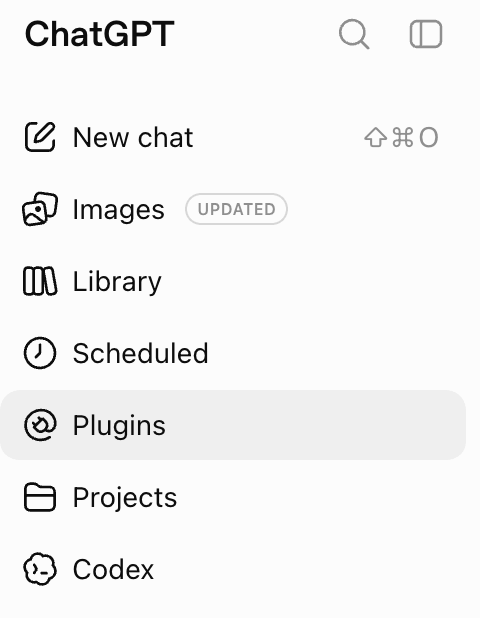
1. Open this link. Alternatively, go to ChatGPT → Plugins → search for Hevy.

2. Tap Install plugin

3. Tap “Sign in with Hevy”

4. Authorize access to your Hevy data

That’s it. Hevy on ChatGPT is installed and ready to use.

How to Install Hevy for ChatGPT (Phone + hevy.com)
1. On your phone, click this link. Alternatively, open the ChatGPT app, navigate to Plugins, and search for Hevy. Tap Install plugin.

2. Select Continue to Hevy and tap Allow Access, and you’re set up.

3. Tap Try in chat and get started.

How to Use Hevy on ChatGPT (Step-By-Step)
1. Open ChatGPT on the web or through the phone app.
2. Start a chat tag @hevy, so you’re communicating with the app. For example:
-
@hevy Build me a well-rounded workout plan. I’m advanced, looking to build muscle, and am currently training at home with adjustable dumbbells, a flat bench, a pull up and dip bar, and resistance bands.
-
@hevy Build me a productive next workout based on my last 5 sessions.
- @hevy Graph my bench press progress over the last 6 months and give me insight on how I’m doing and if there are noticeable periods of stagnation or rapid improvements.

You can be as detailed as you want in the prompts, especially when requesting a new training program. Giving more details will lead to a more tailored plan.
To access Hevy in ChatGPT, you can:
-
Start a new chat and tag @Hevy to ask whatever you want.
- Use the same conversation for all your Hevy-related correspondence (pin it at the top for easy access).

- Navigate to Plugins and select Hevy. Then click Try in chat (this opens a new chat).

To uninstall the Hevy plugin, open ChatGPT, go to Plugins, and tap the gear icon on the top right.

Tap the three dots icon on the top right and select Uninstall. The process is almost the same on desktop.
